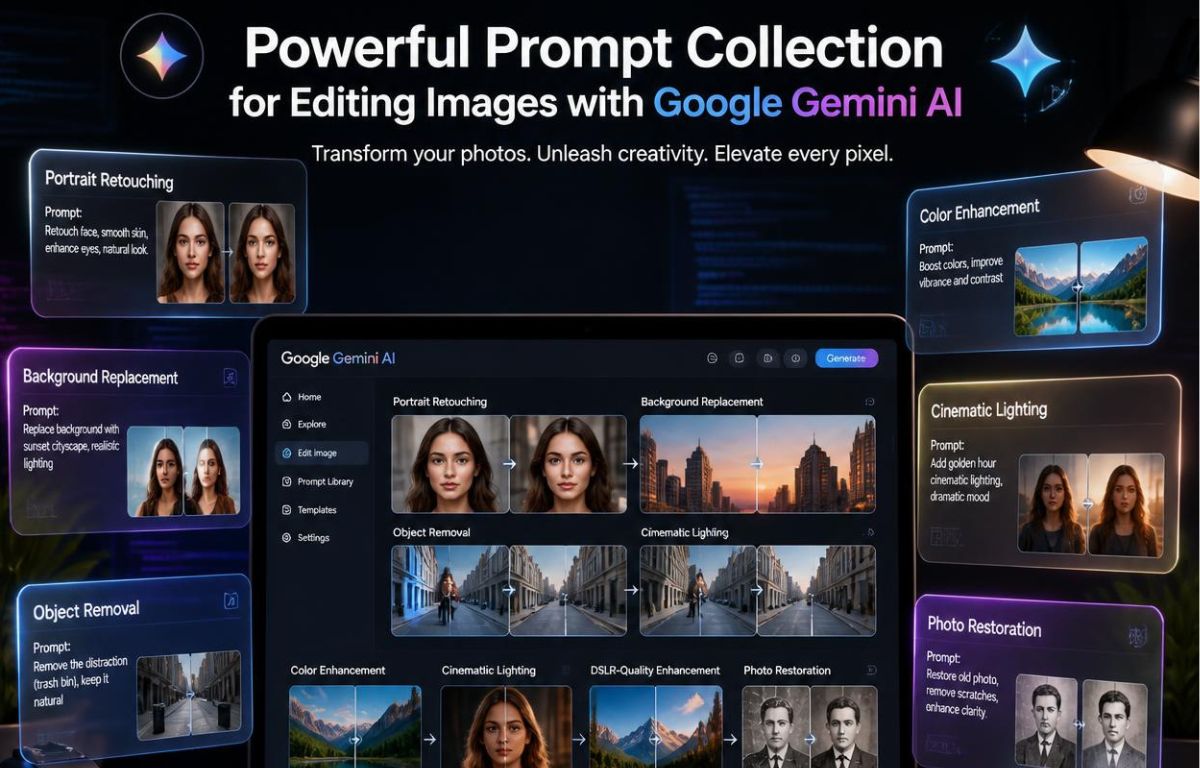
বর্তমান সময়ে AI প্রযুক্তি শুধু লেখা বা chatbot-এর মধ্যে সীমাবদ্ধ নেই। এখন AI ব্যবহার করে professional মানের image editing, cinematic color grading, background change, realistic face enhancement, product photo editing, social media creative design এবং commercial visual creation করা সম্ভব। বিশেষ করে Google Gemini AI আসার পর সাধারণ ব্যবহারকারীর জন্য AI image editing আরও সহজ হয়েছে।
আগে যেখানে Photoshop, Lightroom বা অন্য heavy software শেখার প্রয়োজন হতো, এখন সেখানে শুধুমাত্র smart prompt লিখেই stunning visual তৈরি করা যাচ্ছে। এজন্যই বর্তমানে “gemini দিয়ে ছবি এডিট করবো prompt” keyword-এর search volume দ্রুত বাড়ছে। মানুষ জানতে চায় কিভাবে Gemini AI-কে এমন instruction দেওয়া যায় যাতে AI তাদের চাহিদা অনুযায়ী realistic, professional এবং visually appealing output তৈরি করে।
এই গাইডে আপনি জানতে পারবেন Gemini AI কীভাবে কাজ করে, effective prompt কিভাবে লিখতে হয়, beginner থেকে advanced level image editing prompt, cinematic editing techniques, social media content prompt, product photography prompt, realistic editing secret এবং professional AI workflow সম্পর্কে বিস্তারিত।
Gemini AI কী?
Gemini হলো Google-এর advanced artificial intelligence model যা text, image এবং multimodal data বুঝতে সক্ষম। এর সবচেয়ে বড় সুবিধা হলো এটি natural language instruction খুব ভালোভাবে বুঝতে পারে। অর্থাৎ আপনি মানুষের মতো করে instruction দিলেও Gemini সেই অনুযায়ী image edit বা generate করতে পারে।
বর্তমানে অনেকেই Midjourney, Leonardo AI, DALL·E, Adobe Firefly বা Canva AI ব্যবহার করলেও Gemini দ্রুত জনপ্রিয় হচ্ছে কারণ এটি Google ecosystem-এর সাথে deeply integrated এবং সাধারণ ভাষার instruction অনেক ভালোভাবে process করতে পারে।
কেন Gemini দিয়ে ছবি এডিট এত জনপ্রিয় হচ্ছে?
AI image editing জনপ্রিয় হওয়ার পেছনে কয়েকটি বড় কারণ রয়েছে। প্রথমত, এটি সময় বাঁচায়। দ্বিতীয়ত, technical skill ছাড়াই editing করা যায়। তৃতীয়ত, social media content creation এখন অনেকটাই visual dependent হয়ে গেছে।
- Photoshop skill ছাড়াই editing করা যায়
- কম সময়ে high quality result পাওয়া যায়
- Marketing creative দ্রুত তৈরি করা যায়
- Social media post professional look পায়
- eCommerce product image premium হয়
- YouTube thumbnail eye-catching হয়
- Branding visuals উন্নত হয়
- Creative experimentation সহজ হয়
Prompt আসলে কী?
Prompt হলো AI-কে দেওয়া instruction। আপনি AI-কে যত clear, structured এবং descriptive instruction দিবেন, output তত ভালো হবে।
উদাহরণ হিসেবে যদি আপনি শুধু লেখেন “ছবিটা সুন্দর করো”, তাহলে AI confused হতে পারে। কিন্তু যদি আপনি লেখেন:
“Convert this image into cinematic portrait style with soft golden lighting, realistic skin texture, DSLR depth of field, premium color grading and ultra HD quality.”
তাহলে AI খুব নির্দিষ্টভাবে বুঝতে পারবে আপনি কী ধরনের output চান।
একটি Powerful Gemini Prompt-এর Structure
Professional prompt সাধারণত কয়েকটি অংশে লেখা হয়:
- Subject
- Style
- Lighting
- Mood
- Camera effect
- Quality level
- Color grading
Example Structure
“Edit this portrait into cinematic style, soft warm lighting, realistic shadows, DSLR blur effect, ultra detailed face texture, premium movie color grading, 4K quality.”
Beginner Friendly Gemini Editing Prompt
Face Enhancement Prompt
“Enhance this portrait naturally, improve skin tone, keep realistic texture, sharp eyes, soft lighting, DSLR portrait quality.”
Background Blur Prompt
“Blur the background professionally while keeping the subject sharp and realistic.”
Instagram Aesthetic Prompt
“Create Instagram aesthetic editing with soft pastel tone, premium lighting and clean background.”
Luxury Look Prompt
“Turn this image into luxury fashion photography style with premium lighting and realistic color grading.”
Cinematic Photo Editing Prompt
বর্তমানে cinematic editing social media এবং personal branding-এর জন্য অনেক জনপ্রিয়। কারণ cinematic look image-কে emotional এবং premium feel দেয়।
Hollywood Style Prompt
“Turn this image into Hollywood cinematic movie scene with orange teal color grading, dramatic lighting and realistic shadows.”
Netflix Poster Prompt
“Create Netflix movie poster style portrait with dark moody atmosphere and cinematic depth.”
Action Scene Prompt
“Add action movie cinematic atmosphere with rain effect, neon lighting and realistic reflections.”
Gemini দিয়ে Background Change করার Prompt
Background change বর্তমানে AI editing-এর সবচেয়ে popular use case গুলোর একটি।
Nature Background Prompt
“Replace the background with beautiful mountains and sunset sky while matching realistic lighting.”
Luxury Office Prompt
“Replace background with modern luxury office interior and professional business atmosphere.”
Gaming Setup Prompt
“Create modern RGB gaming room background with realistic lighting and depth.”
Social Media Content-এর জন্য Gemini Prompt
Social media content creation এখন visual-first strategy হয়ে গেছে। তাই AI image editing এখন digital marketing-এর বড় অংশ।
Facebook Ads Prompt
“Create high converting Facebook ads style image with premium composition and eye-catching lighting.”
YouTube Thumbnail Prompt
“Turn this image into viral YouTube thumbnail style with dramatic contrast and attention grabbing colors.”
LinkedIn Profile Prompt
“Create professional LinkedIn profile portrait with formal business style and clean background.”
Product Photo Editing Prompt
eCommerce business-এর জন্য professional product photography অত্যন্ত গুরুত্বপূর্ণ। কারণ product image customer trust তৈরিতে বড় ভূমিকা রাখে।
eCommerce Prompt
“Enhance this product image for eCommerce, clean white background, realistic shadow, premium commercial lighting.”
Luxury Product Prompt
“Turn this product into luxury advertising style with glossy reflection and cinematic presentation.”
Catalog Style Prompt
“Create professional catalog photography look with balanced lighting and ultra realistic details.”
Realistic AI Editing করার Secret
অনেক সময় AI edited image overly artificial দেখায়। এর মূল কারণ হলো unrealistic prompt। তাই realistic output চাইলে prompt-এ কিছু specific শব্দ ব্যবহার করা গুরুত্বপূর্ণ।
- Realistic lighting
- Natural skin texture
- Balanced shadows
- Authentic details
- Professional camera effect
- DSLR depth of field
- Soft cinematic tone
এই শব্দগুলো image-কে natural feel দেয় এবং fake appearance কমায়।
Common Mistakes যা Avoid করা উচিত
অতিরিক্ত Prompt Stuffing
অনেকেই এক prompt-এর মধ্যে অতিরিক্ত effect যোগ করতে চায়। এতে AI confused হয়ে যায়।
Unrealistic Expectation
খুব low quality image থেকে perfect cinematic output আশা করা উচিত নয়। Source image quality গুরুত্বপূর্ণ।
Too Generic Prompt
“Make it beautiful” এর মতো generic instruction avoid করা উচিত।
Professional AI Editing Workflow
Step 1: Source Image Select করুন
যত ভালো source image হবে, output তত ভালো হবে।
Step 2: Clear Goal Define করুন
আপনি cinematic look চান, social media look চান নাকি product enhancement চান সেটা আগে ঠিক করুন।
Step 3: Structured Prompt লিখুন
Subject + Style + Lighting + Quality + Mood format follow করুন।
Step 4: Multiple Variation Test করুন
একই prompt সামান্য modify করে কয়েকটি version test করুন।
Gemini AI ভবিষ্যতে কী পরিবর্তন আনবে?
AI image editing ভবিষ্যতে content creation industry পুরোপুরি পরিবর্তন করে দিতে পারে। Graphic design, branding, digital marketing এবং visual storytelling আরও accessible হয়ে যাবে।
আগে যেখানে large production setup প্রয়োজন হতো, এখন একজন freelancer বা small business owner-ও AI ব্যবহার করে premium visual তৈরি করতে পারছে।
কারা Gemini AI Image Editing শিখবেন?
- Digital marketer
- Freelancer
- YouTuber
- Content creator
- Photographer
- eCommerce seller
- Social media manager
- Brand owner
- Graphic designer
শেষ কথা
AI image editing এখন আর future technology নয়, এটি বর্তমানের practical skill। সঠিক prompt ব্যবহার করতে পারলে আপনি খুব সহজেই professional মানের visual তৈরি করতে পারবেন। বিশেষ করে social media marketing, branding, product promotion এবং personal content creation-এর ক্ষেত্রে Gemini AI বিশাল advantage দিতে পারে।
আপনি যদি নিয়মিত practice করেন এবং structured prompt writing skill develop করেন, তাহলে খুব অল্প সময়ের মধ্যেই cinematic, realistic এবং commercial quality image তৈরি করতে পারবেন। বর্তমানে যারা AI skill শিখছে তারা future digital economy-তে অনেক এগিয়ে থাকবে। তাই এখন থেকেই gemini দিয়ে ছবি এডিট করবো prompt শেখা এবং practice করা অত্যন্ত গুরুত্বপূর্ণ।