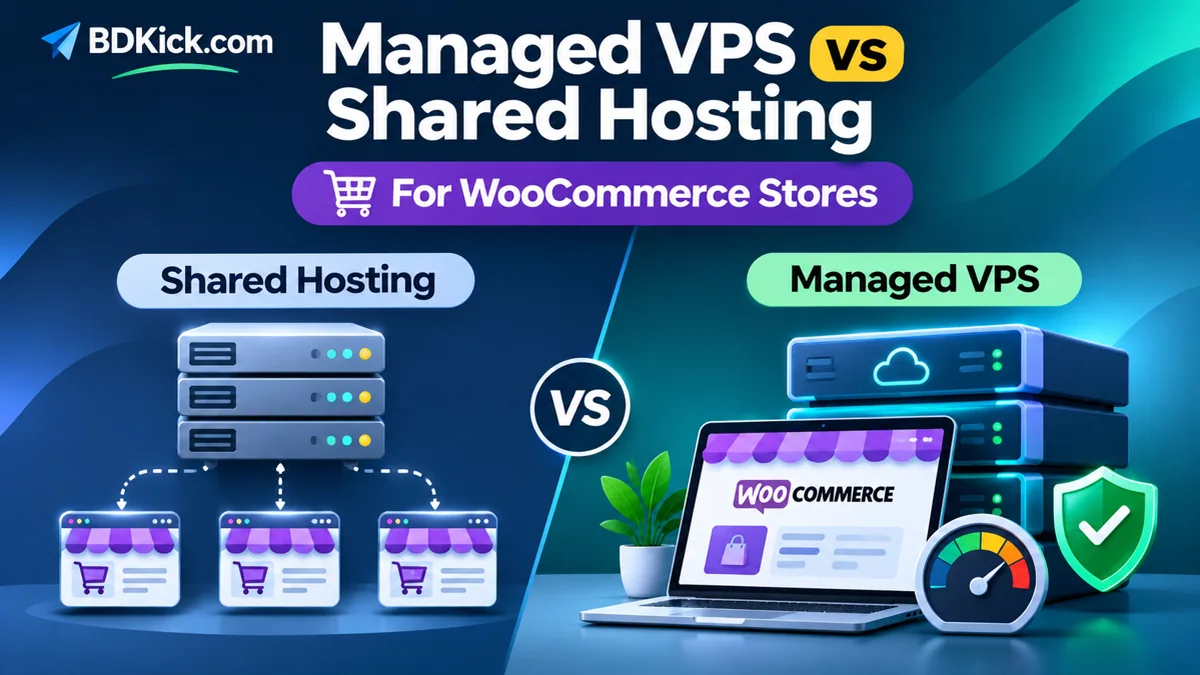
Managed VPS vs shared hosting for WooCommerce stores: shared hosting can be a practical, affordable starting point for a small store with light traffic, while a well-managed VPS offers more isolated resources and configuration flexibility when the store grows. But upgrading to a VPS is not an automatic speed fix. The right choice depends on your checkout performance, traffic spikes, plugin workload, hosting limits, and who will maintain the server.
Before paying more, measure your slowest customer journeys—product search, add to cart, checkout, and order processing—not just your homepage speed. This guide explains the trade-offs and gives you an evidence-based upgrade checklist.
Managed VPS vs Shared Hosting for WooCommerce: The Complete Guide
Quick answer: which hosting option is right for your store?
Choose quality shared hosting when your store is new, traffic is modest, checkout works reliably, and your provider clearly discloses CPU, memory, process and PHP worker limits. Choose managed VPS hosting when you repeatedly hit those limits, need stronger workload isolation or server-level tuning, or must support sales campaigns with unpredictable concurrent shoppers. A specialist managed WooCommerce hosting plan is also worth comparing: the service level matters more than the product name.
| Factor | Shared hosting | Managed VPS |
|---|---|---|
| Server resources | Shared pool with account-specific limits | Allocated virtual CPU and memory; physical infrastructure is still shared |
| Server maintenance | Host usually manages operating system and core stack | Depends on the managed-service agreement |
| Customization | Usually limited | Typically greater control, though access may be restricted on managed plans |
| Traffic spikes | Can work until account or worker limits are reached | More scope to allocate resources, but still has finite limits |
| Cost | Often lower entry cost | Often higher recurring cost plus possible backup, panel and support fees |
| Best fit | Early-stage and predictable workloads | Growing stores with demonstrated infrastructure bottlenecks |
How shared hosting works for WooCommerce
On shared hosting, multiple websites use the same physical server. The provider may isolate accounts and enforce resource quotas, but your hosting plan is still designed for a shared infrastructure. You usually receive a managed control panel, PHP and database access, email or DNS tools, and basic support.
A well-configured shared plan can run a real WooCommerce business. The problems begin when many uncached requests arrive together: customers update carts, checkout processes payment, orders trigger emails, background jobs run, and plugins query the database. Some providers cap concurrent processes or PHP workers; hitting those limits can cause long waits or errors.
What does “managed VPS” actually include?
A VPS is a virtual server with an allocated share of CPU, RAM, storage and operating-system environment. Managed refers to the hosting provider’s support responsibilities—not a universal technical standard. One provider may cover operating-system patches, firewall setup and monitoring; another may offer only infrastructure support while leaving WordPress, WooCommerce, backups and performance tuning to you.
Ask for the service-level agreement in writing. Confirm who handles security patching, control-panel licensing, backups and restoration, database tuning, malware incidents, uptime monitoring, migration, and after-hours emergencies. Some managed VPS plans do not include root access or WooCommerce-specific support.
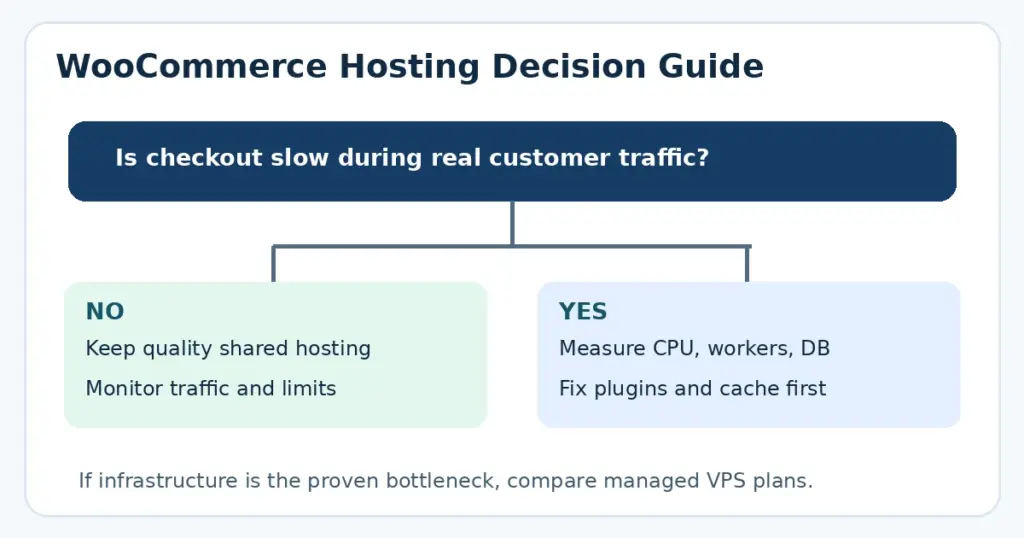
WooCommerce checkout speed: why server resources matter
Storefront pages can often be cached, but carts, checkout and customer accounts are dynamic and require personalized processing. WooCommerce’s official caching guidance recommends excluding Cart, Checkout and My Account pages from page caching. An incorrect cache configuration can cause stale cart data, account mix-ups or broken checkout behavior.
When a store receives many concurrent checkout requests, PHP worker capacity, database performance and server CPU become especially important. A VPS can give you more room to tune these components, but slow third-party payment APIs, inefficient plugins, external scripts, or unoptimized queries remain slow on expensive infrastructure.
Use the WooCommerce scaling guidance to consider traffic distribution, extension code and server resources together rather than relying on a single traffic threshold.
Memory, PHP and database requirements
Check WooCommerce’s current PHP and WordPress requirements before selecting any plan. WooCommerce recommends PHP 8.3 or later and modern MySQL or MariaDB versions, although supported minimums vary by WooCommerce release. Compatibility with extensions should also be tested on a staging site.
WordPress hosting guidance suggests 256 MB as a useful general PHP memory baseline and potentially 512 MB or more for resource-intensive ecommerce and plugin-heavy workloads; these are planning references, not fixed requirements for every store. The WooCommerce memory troubleshooting documentation explains how to inspect PHP and WordPress memory values separately.
In WordPress, visit WooCommerce → Status → System Status and record your PHP memory limit, WordPress memory limit, PHP version and environment details. Also ask the provider about per-account CPU, RAM, I/O, process, and PHP worker limits—marketing phrases such as “unlimited traffic” are not sufficient.
Security, backups and store reliability
Neither shared hosting nor a VPS guarantees security. What matters is how the system is operated. Look for supported software versions, TLS/HTTPS, malware monitoring, least-privilege access, tested off-site backups, and a documented recovery process. WooCommerce also depends on secure updates, payment integrations and responsible handling of customer data.
VPS isolation can reduce exposure to other accounts’ resource usage, but it also introduces server maintenance tasks. If a VPS is unmanaged or poorly managed, it can be less secure than a reputable shared hosting plan. Request a written restore-time expectation, backup retention policy, and clarity on whether backups are included in the quoted price.
Compare total costs, not just advertised monthly prices
Shared hosting often has a lower entry price, but promotional rates can increase at renewal. Managed VPS hosting usually costs more, and optional control-panel licenses, automated backups, offsite storage, CDN, migration, email hosting, monitoring, or application support can add to the bill.
For a fair 12-month comparison, calculate: hosting subscription + renewal terms + required licenses + backup and security services + migration costs + maintenance time. Prices and features vary by vendor, region and billing cycle, so no universal cost figure applies. Don’t assume that the cheapest VPS is better than a higher-quality shared or managed WooCommerce plan.
Seven signs your WooCommerce store may need a VPS
- Resource limits are repeatedly hit: the hosting dashboard shows frequent CPU, RAM, I/O or process throttling during customer sessions.
- Checkout slows under concurrency: real shoppers experience delays when multiple purchases happen together.
- Promotion traffic causes errors: flash sales or ad campaigns regularly produce 503 or timeout failures.
- PHP workers or background jobs queue up: order processing, scheduled tasks or admin requests wait during busy periods.
- Database load stays high: slow-query investigation suggests the available server resources are the bottleneck.
- You need server configuration control: a specific extension or integration requires services your shared plan cannot run.
- Your hosting provider cannot offer a suitable upgrade path: support confirms your workload exceeds its shared tiers.
One isolated slow PageSpeed result is not sufficient evidence. First check caching, images, third-party scripts, WooCommerce queries, and external APIs. See WooCommerce’s slow-store troubleshooting guide for other possible causes.
How to benchmark your store before upgrading
- Capture a baseline: measure homepage, category, product, cart and checkout response times under realistic conditions.
- Check real resource usage: collect CPU, RAM, I/O, process and PHP worker graphs during a busy hour.
- Review logs: identify PHP errors, gateway timeouts, slow queries and background-task failures.
- Inspect plugins and queries: compare performance with unnecessary extensions disabled in staging; never experiment on a live checkout during sales.
- Test concurrency: simulate a safe, realistic volume of users on a staging environment or approved test environment without sending real payments.
- Confirm the actual bottleneck: ask the host whether higher worker limits, memory or database performance would address the measured problem.
How to migrate WooCommerce from shared hosting to managed VPS
- Back up files and database: create and verify an independent restore point; protect payment and customer data.
- Pick a managed provider: confirm PHP/database compatibility, resources, backups, monitoring and support responsibilities.
- Build a staging copy: restore the store and test the theme, plugins, product variations, shipping, taxes, emails and payment gateway sandbox.
- Plan order synchronization: decide how new orders and customer changes will be preserved during final migration. Avoid copying an outdated database over live orders.
- Schedule a cutover: lower DNS TTL in advance if appropriate, minimize the change window, and keep rollback instructions ready.
- Verify critical flows: test HTTPS, store URLs, checkout, webhooks, transactional emails, scheduled actions and cache exclusions after DNS changes.
- Monitor the new environment: watch logs and performance metrics before canceling the previous service.
Domain migration and mail hosting are separate. If email is hosted elsewhere, preserve the existing MX, SPF, DKIM and DMARC records when changing nameservers.
Questions to ask a hosting provider before paying
- How many PHP workers can my WooCommerce store use, and is there a burst limit?
- What CPU, RAM, disk I/O and process limits are enforced?
- Are Redis/object caching, staging and server monitoring available?
- Are Cart, Checkout and My Account correctly excluded from full-page cache?
- Who patches the operating system, web server and database?
- Are tested off-site backups and a documented restore service included?
- What happens if my store outgrows the plan during a promotion?
- Does your support team troubleshoot WooCommerce application issues or only infrastructure?
Final verdict
For a new WooCommerce store with low and predictable demand, good shared hosting is often enough. For a growing store with recurring, measured resource shortages and revenue-sensitive checkout, managed VPS can be a sensible investment. A specialized managed WooCommerce plan may also solve the same problem without requiring full VPS administration.
Choose based on observed checkout performance, clear resource limits, the provider’s management scope, reliability and total cost—not an advertised “fastest hosting” claim. Upgrade only after identifying the bottleneck so your next hosting bill buys a real improvement.
Frequently Asked Questions
Is shared hosting good enough for a small WooCommerce store?
Often yes. A well-managed shared plan can work for a small store if it meets WooCommerce requirements, checkout works reliably, and resource limits are appropriate for the workload.
Will managed VPS automatically make WooCommerce faster?
No. More isolated resources can help when hosting limits are the bottleneck, but inefficient plugins, slow external services and incorrect caching still require separate fixes.
Do I need a VPS for 1,000 products?
Product count alone does not determine hosting needs. Concurrent visitors, database queries, extensions, orders and checkout traffic matter more than a universal catalog-size threshold.
Should WooCommerce cart and checkout pages be cached?
Full-page caching should generally exclude Cart, Checkout and My Account because they display customer-specific content. Follow WooCommerce guidance and verify the host or caching plugin settings.
What is the difference between managed VPS and unmanaged VPS?
Managed VPS includes some provider-operated server maintenance and support, but the exact scope varies by contract. Unmanaged VPS usually leaves more patching, security, monitoring and recovery work to the customer.
When should I migrate my WooCommerce site to managed VPS?
Consider migrating when recurring resource throttling, slow checkout under concurrency, failed promotions or required server-level services show that a suitable shared plan cannot meet your needs.