If a WordPress editor reports a 403 or AJAX failure, do not immediately turn off Cloudflare protection. First capture the exact request and find whether the block came from Cloudflare, a WordPress security plugin, a server firewall or an expired nonce.
This guide focuses on the practical decision points for cloudflare blocking wordpress admin ajax requests. The examples are educational and should be adapted to your site, provider, client agreement or application requirements rather than copied without verification.
Cloudflare Blocking WordPress Admin AJAX: Practical Guide
Before you start: gather the right information
Write down the current environment, version numbers or business requirements. For a live website, create a known-good backup and make potentially disruptive changes on staging first. For business documents, confirm the client, scope and acceptance criteria before using a sample.
Step-by-step walkthrough
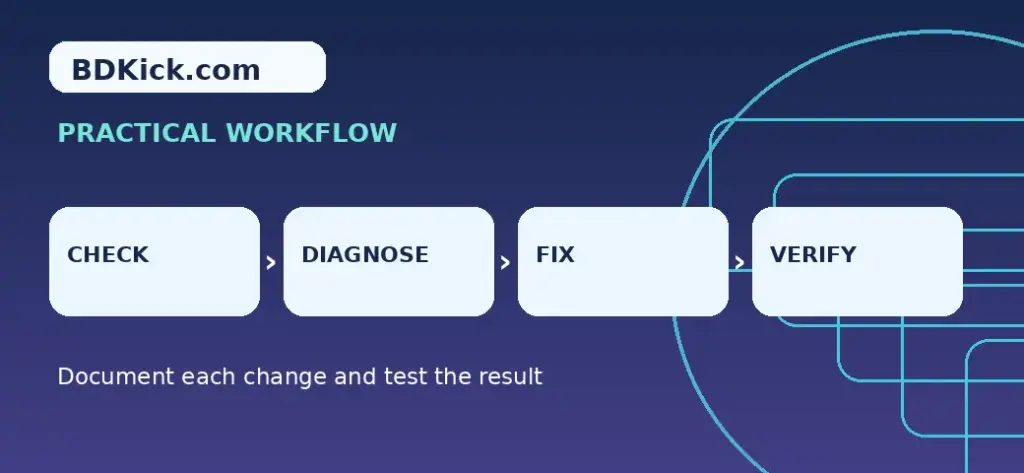
- Open the browser developer tools Network panel and reproduce the error while signed in.
- Locate the request to wp-admin/admin-ajax.php and record the response status, timestamp and the relevant request context without copying secrets.
- Inspect Cloudflare Security Events for a matching timestamp, path and action or rule ID.
- If no Cloudflare event matches, check the origin error logs, ModSecurity and WordPress plugins.
- For a verified Cloudflare false positive, create the narrowest possible rule exception covering the affected traffic and specific security product.
- Retest the original action and an unrelated protected route to ensure defenses still work.
- Remove temporary diagnostic exceptions and document the reason for any retained rule.
Worked example or reference template
Case study: form submission fails only for editors
The request may be rejected because an authenticated role sends a different payload. Compare the Cloudflare Security Event with an origin log entry. If Cloudflare has no corresponding event, disabling Cloudflare rules is unlikely to help. If a specific managed rule incorrectly matches a known safe action, restrict an exception to that action and evaluate ongoing risk.
How to verify the result
Check the output from the perspective of the person who will use it. Test the critical workflow, note what was changed and preserve enough evidence to reverse a failed update. For public-facing sites, repeat the check while logged out and on a mobile browser. For templates, verify totals, wording and payment or ownership terms before sharing.
Common mistakes to avoid
- Avoid blanket allow rules for all wp-admin/admin-ajax.php traffic.
- Do not publish cookies, nonces or full form payloads in a support ticket.
- Do not infer a WAF block from every 403 status.
Related BDKick tutorials
For the next step, see WordPress Mixed Content After Cloudflare SSL: Safe Fixes, cPanel Node.js App Cannot Restart: Process Limit Troubleshooting. These pages are part of the same article batch; publish the linked posts before promoting this page.
Official documentation and references
Frequently asked questions
Should I allow the whole admin-ajax.php path?
No. Investigate the specific rule and narrow the exception to the legitimate operation.
What if Security Events shows nothing?
Check origin security plugins, ModSecurity, PHP errors and nonce expiry.
Will clearing cache solve a 403?
Sometimes stale page state contributes, but WAF decisions and server-side rejects need separate diagnosis.
Can I use Cloudflare Skip rules?
Yes, selectively where your plan and the blocking product support a Skip action.
Final checklist
Confirm the instructions match your specific environment, save a backup or clean document copy, test the main outcome and record any remaining risks. If you are publishing technical guidance, revisit it after major product updates.
Frequently Asked Questions
Should I allow the whole admin-ajax.php path?
No. Investigate the specific rule and narrow the exception to the legitimate operation.
What if Security Events shows nothing?
Check origin security plugins, ModSecurity, PHP errors and nonce expiry.
Will clearing cache solve a 403?
Sometimes stale page state contributes, but WAF decisions and server-side rejects need separate diagnosis.
Can I use Cloudflare Skip rules?
Yes, selectively where your plan and the blocking product support a Skip action.